AI Search

AI search for local SFX libraries

Use SFX Stacks as an AI-powered SFX finder for the sound libraries you already own. Add local folders, search by meaning, branch into similar sounds, preview waveforms, and export the useful part.

Built for local libraries. Your audio, filenames, folder paths, metadata, embeddings, and library data stay on your machine.

1. Local folders

Start with the folders you already use

Add your existing sound libraries and let SFX Stacks build a local index. You can browse folders, search metadata, and use AI search without moving files into a cloud library or rebuilding your folder structure first.
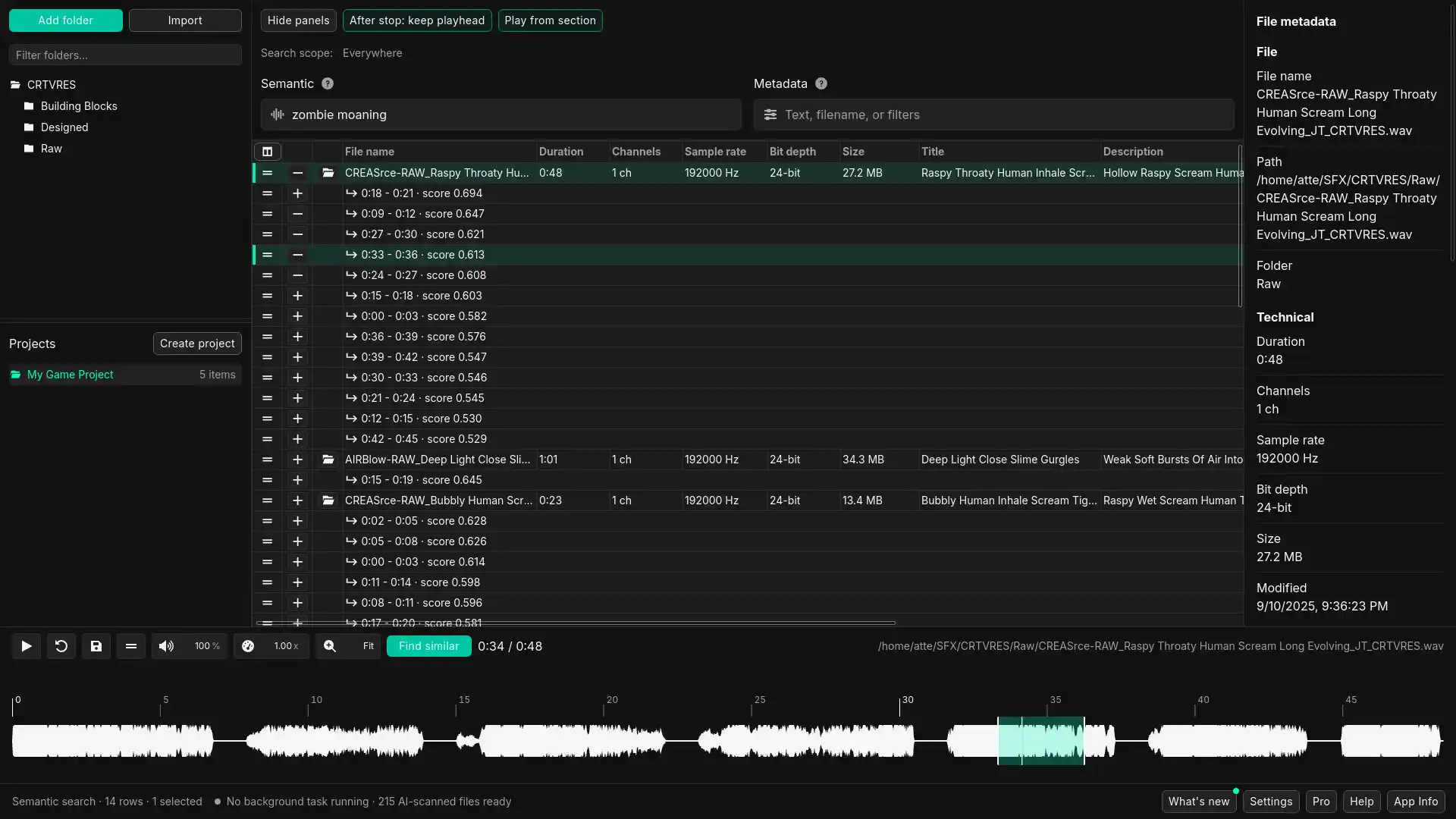
SFX Stacks showing local folders, search results, waveform preview, and file details in one desktop window

Add local folders once, then search and browse the structure you already have.

This keeps SFX Stacks useful as a companion app beside your DAW, editor, game audio tools, or heavier library software.

2. Meaning search

Search by what the sound should feel like

Use plain language when the filename, folder, or tag does not match the way you think about the scene. Search for the sound you need, not only the words already written into the file.

Search from another angle when filenames are not enough.

That makes SFX Stacks useful for searches like heavy metal impact, small electric glitch, wet creature movement, distant mechanical rumble, soft UI click, or debris falling on concrete.

3. Similarity search

Use one close result to find nearby options

When one sound is close but not quite right, use it as a reference point. Similarity search helps you move through nearby options from your own library instead of starting the search over.

Branch from a useful result instead of guessing another search term.

Use it for replacements, variations, layering, and the kind of useful detours that are hard to reach through folders and filenames alone.

4. Preview and export

Go from search result to usable clip

Listen inside the app, inspect the waveform, select the section you need, and export a usable clip without dragging the whole file into another tool first.

Preview, clip, and export from the same local workflow.

The point is not just finding a file. It is getting enough usable source into your session faster. With Pro, you can also spot sounds and selected waveform ranges into REAPER.

Try AI search on your own library

Download SFX Stacks for free, add a local folder, and test it against sounds you already know. No account or credit card needed.