Features

Built for fast local SFX work

Use AI to search your local SFX library with plain words, find similar sounds, and export usable clips without breaking your workflow.

Search

Search with plain words

Use AI to search with plain words and get to relevant sounds faster without relying only on filenames.

Type a plain-word query and preview relevant results right away.

SFX Stacks helps you get from a rough idea to usable results quickly, even in libraries that are too large to browse manually.

  • Use natural search terms instead of guessing exact filenames
  • Find relevant sounds faster in large local libraries
  • Stay in the search flow instead of digging through folders
Similarity

Find similar sounds from what you already have

Start from a result or source file and use AI similarity search to branch into similar alternatives, replacements, and variations.

Use one sound as a reference point to find nearby alternatives and variations.

Use similarity search when you already have something close but want a better fit, a cleaner variation, or nearby options you would not have found with a literal search.

  • Use one sound as a reference point for similar results
  • Compare alternatives without restarting your search
  • Useful for replacements, variations, and extra layers

Preview and export

Preview, select, and export faster

Preview sounds, select the usable part, and export it without switching between tools.

Preview a sound, select a region, and drag out the part you need.

Once you find the right sound, you can check it quickly, focus on the section you need, and export only that part.

  • Preview sounds quickly without opening separate tools
  • Select the usable region instead of exporting the whole file
  • Move faster from search result to usable clip

Metadata

Search by metadata when you need precision

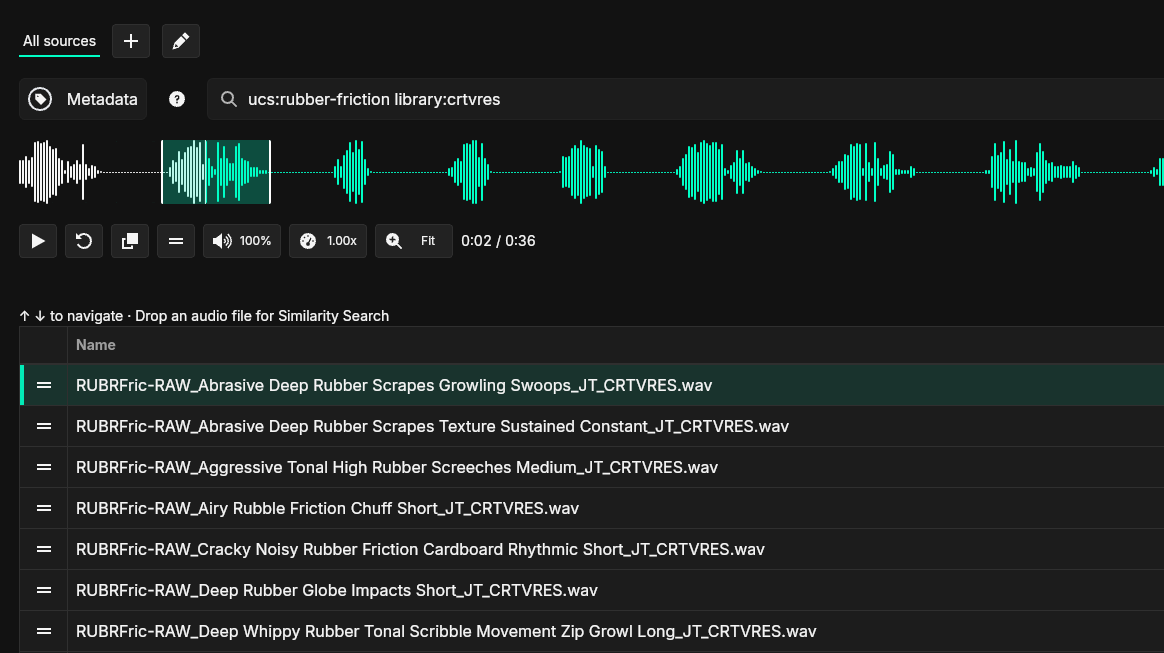
Use metadata search to find sounds by known tags, categories, library values, or file details.

SFX Stacks metadata search showing filtered sound effect results and waveform preview

Use metadata search to find a strong starting point, then explore nearby options with similarity search.

Metadata search helps you get to a strong starting point faster when you already know something about the sound you need. From there, you can use AI similarity search to explore nearby options.

  • Search by known tags, categories, and file details
  • Useful when you already know the sound family or source
  • Use a good metadata match as a starting point for similarity search

Sources

Use your existing library folders

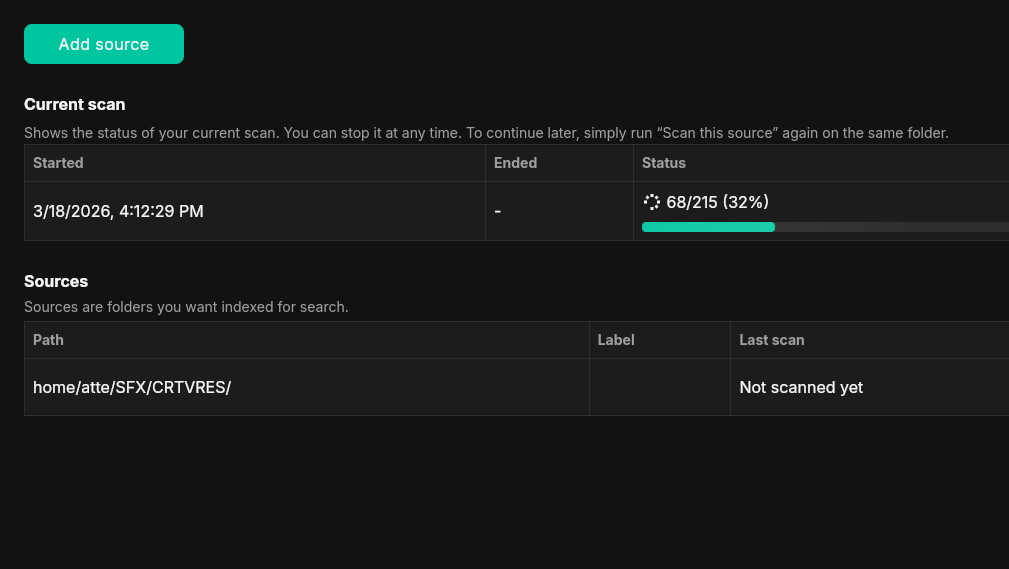
Add your library folders and let SFX Stacks scan them locally.

SFX Stacks sources view showing library folders and scan status

Add library folders and track scan progress locally.

You do not need to reorganize your library before getting started. SFX Stacks works with the folder structure you already use.

  • Add existing library folders as sources
  • Keep your current local folder structure
  • Scan and index files on your own machine

Try it on your own library

Download the 14-day trial and see how SFX Stacks fits into your existing local workflow.